首頁 » Firefox 專區

[Firefox Add-on] All-in-One Sidebar - 多功能的側邊欄

發表於 2006/11/22 | 分類: Firefox 專區 | 尚無迴響 | 瀏覽數: 3,325 個瀏覽人數
http://blog.joaoko.net/archives/147

想擁有跟 Opera 瀏覽器一樣的全方位多功能側邊欄嗎?
All-in-One Sidebar 便是依照此概念而設計的。

有了它之後你可以在側邊欄:

  • 顯示你的書籤
  • 顯示最近檢視過的頁面 (歷史)
  • 顯示下載進度 (下載管理員)
  • 顯示已安裝的擴充套件和佈景主題
  • 顯示網頁內容、原始碼及瀏覽器資訊 (可將分頁中的內容顯示於側邊欄)
  • 檢示網頁的表單、鏈結、多媒體或是安全相關資訊
  • 顯示 Eroor 主控台
  • 顯示 DOM 檢視器

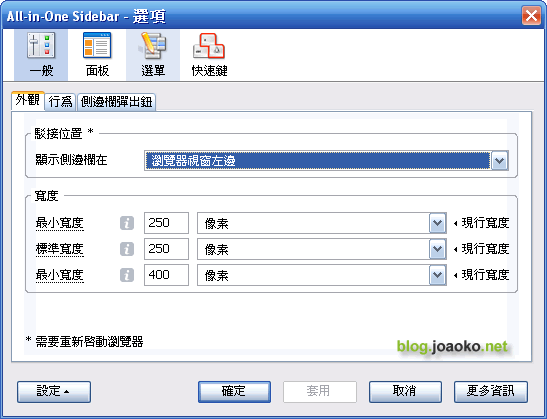
除了側邊欄可以設定在左邊或是右邊顯示外,還可以設定 All-in-One Sidebar 各項功能的快速鍵。
整體來說,它提供的功能算蠻完整的 (安裝檔 367KB,也稱的上是重量級的擴充套件)。
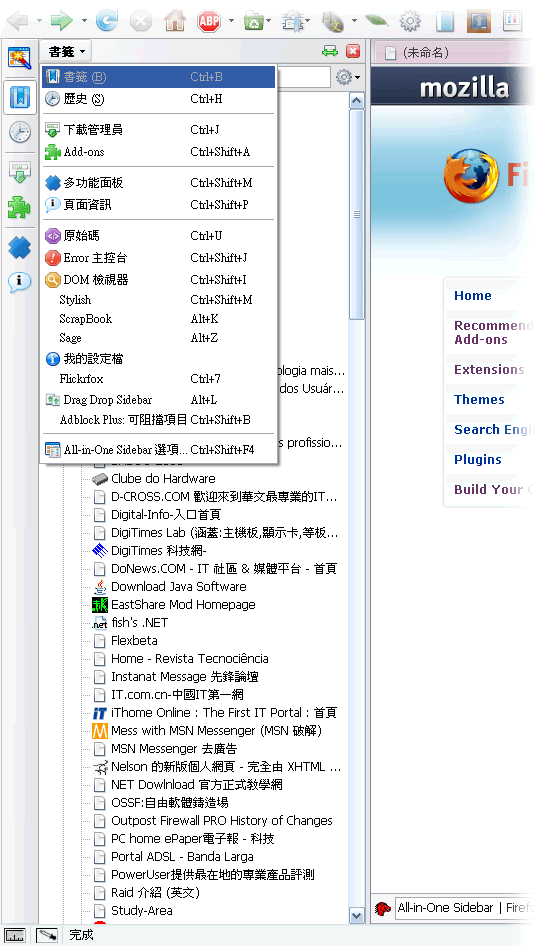
aios_01 (by joaoko)

aios_02 (by joaoko)

aios_03 (by joaoko)

更多的 screenshot 請到官方網站觀看。

Leave your response!

Add your comment below, or trackback from your own site. You can also subscribe to these comments via RSS.

Be nice. Keep it clean. Stay on topic. No spam.

You can use these tags:
<a href="" title=""> <abbr title=""> <acronym title=""> <b> <blockquote cite=""> <cite> <code> <del datetime=""> <em> <i> <q cite=""> <strike> <strong>

This is a Gravatar-enabled weblog. To get your own globally-recognized-avatar, please register at Gravatar.